YouTrack app

QR Code

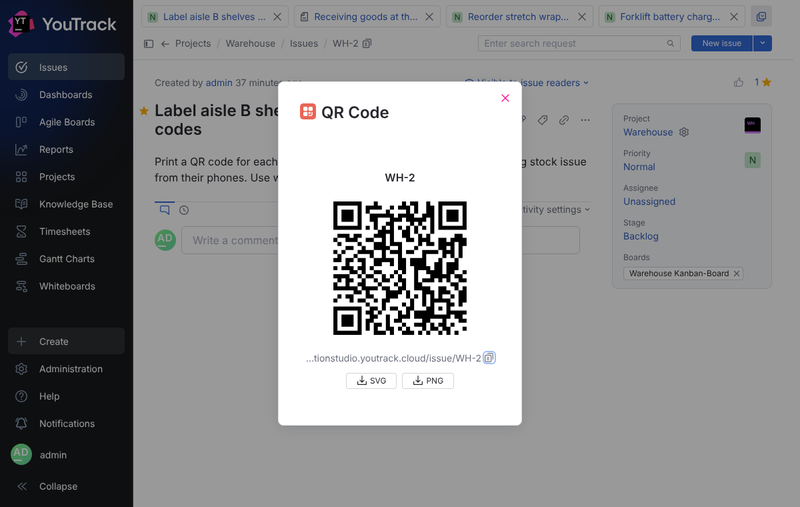
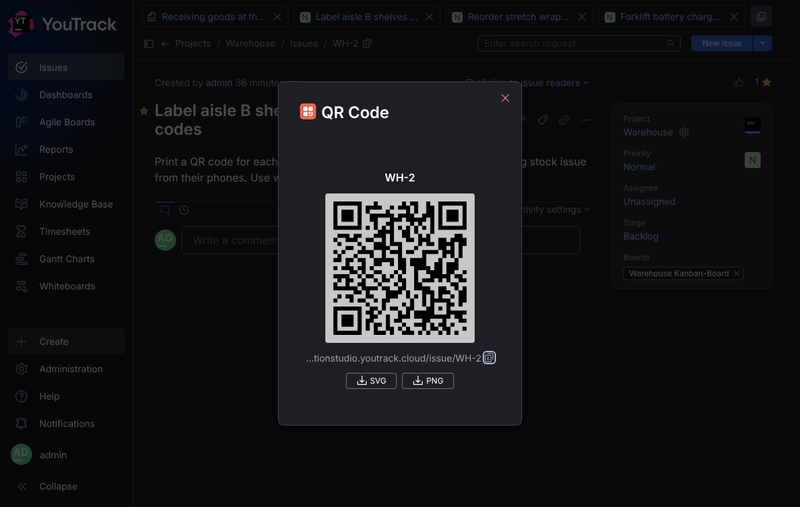
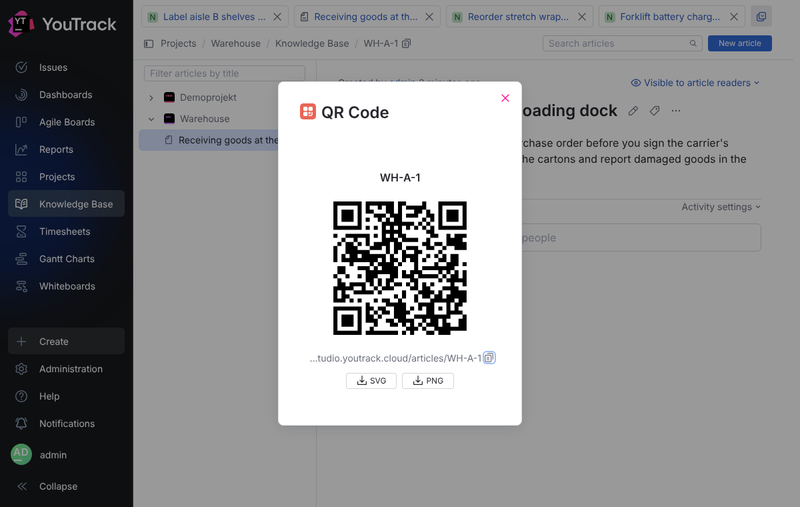
Show a scannable QR code for any issue or knowledge base article in YouTrack, and move it from screen to phone in a second.

  • Free
  • YouTrack 2025.1+ (Cloud and Server)
Coming soon to JetBrains Marketplace
QR Code screenshot
Right where you need it

Right where you need it

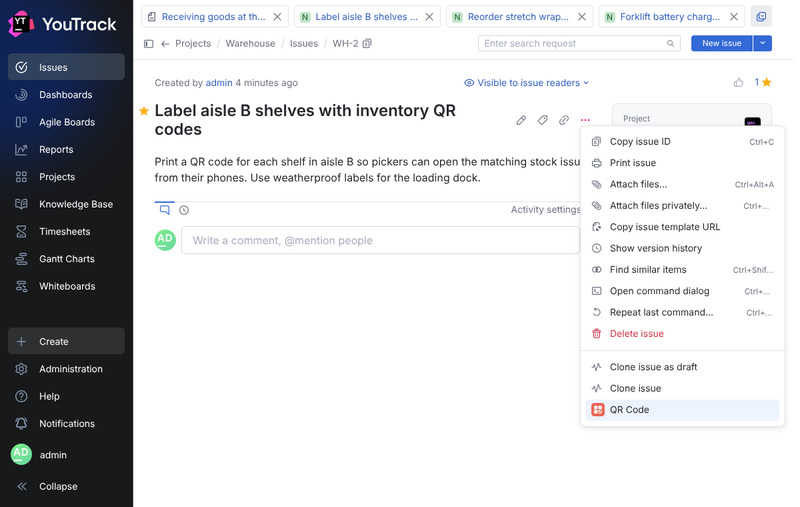
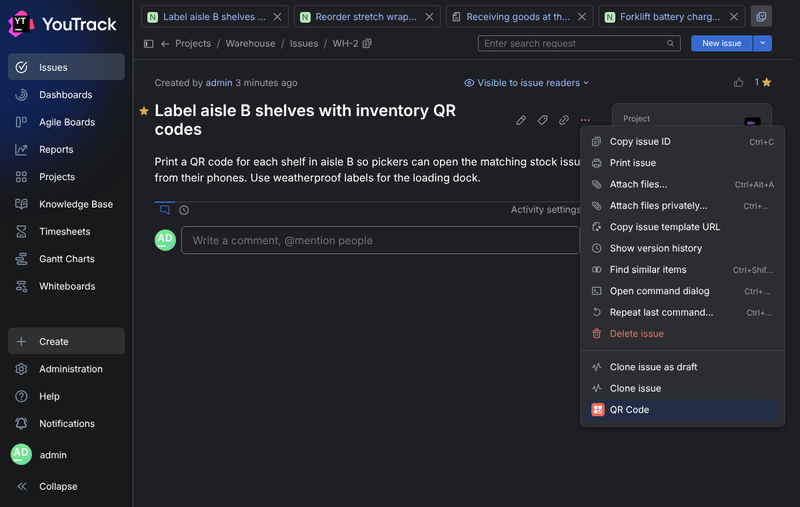
Open QR Code from the options menu (…) of any issue or knowledge base article.

  • Works for issues and knowledge base articles
  • Visible to everyone who can read the issue or article
  • No configuration needed
From screen to phone in a second

From screen to phone in a second

Scan the code with your phone camera to open the item in the YouTrack mobile app or browser.

  • Copy the link with one click
  • Download the code as SVG or PNG with a print-ready quiet zone
  • Files are named after the ID, for example PRJ-42-qr.png
Made for labels, whiteboards and handouts

Made for labels, whiteboards and handouts

Put QR codes on labels, whiteboards, hardware or printed handouts and link the physical world to your YouTrack.

  • Works in light and dark theme
  • Available in English and German
  • Accessible with keyboard and screen readers

Getting started

  1. Install the app: in YouTrack, open Administration > Apps > Add app > Browse JetBrains Marketplace and install QR Code.
  2. Enable it for your projects: open the app, choose Add to projects and select the projects whose issues and articles should get the menu item.
  3. Open any issue or article, click the options menu (…) and select QR Code.

Permissions: users see the menu item for issues they can read (Read Issue) and articles they can read (Read Article). No other permissions or settings are needed.

Privacy

The QR code is generated in your browser. The app stores no data and sends nothing outside your YouTrack site.

Support

Questions or problems? Write to support@cation.studio.

By using QR Code you agree to the End User License Agreement.